I'm in the way of use and learn
Aida/Web and
Scribo and I'm starting using
Scribo as
wiki.
In this way I need to learn a lot of things, and I will post here some small "how to's" of things that may be useful to other people in the same way as me.
After install all the needed packages in a
Squeak image, and having
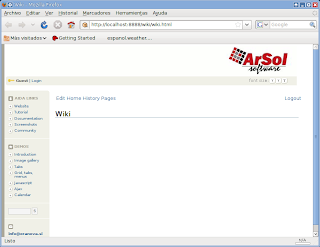
Scribo running, the first thing may be desirable may be to change the
Aida banner for an own one.
Then, you need to "save as" such banner and generate a new image of the same size that which you saved, decorate it with your own graphics and then do the following:
1. Evaluate in a workspace on your
Aida image:
WebStyle new importImage: 'aidabannergif' from: 'aidabannergif.gif'.
were aidabanner.gif is the name of the graphics file on your image directory and #aidabannergif the name of the method to be created on the WebStyle class under the category imgs.

2. Replace the content of the method #aidaBannerGif of class
DefaultWebStyle with the content of the recent created in the step 1 and it's all.
To end, you should delete the method
#aidabannergif on class
WebStyle to maintain your image as clean as possible.
Of course, this is the quick and dirty method to have things as fast as possible, but the correct way should be create your own webstyle. Surely I will talk about this topic sooner or later.


